Buying Guides
The best laptop for a home office under $1,200
A home office asks for different things than an office office: silence, a screen you can look at all day, and a machine you can repair rather than replace.
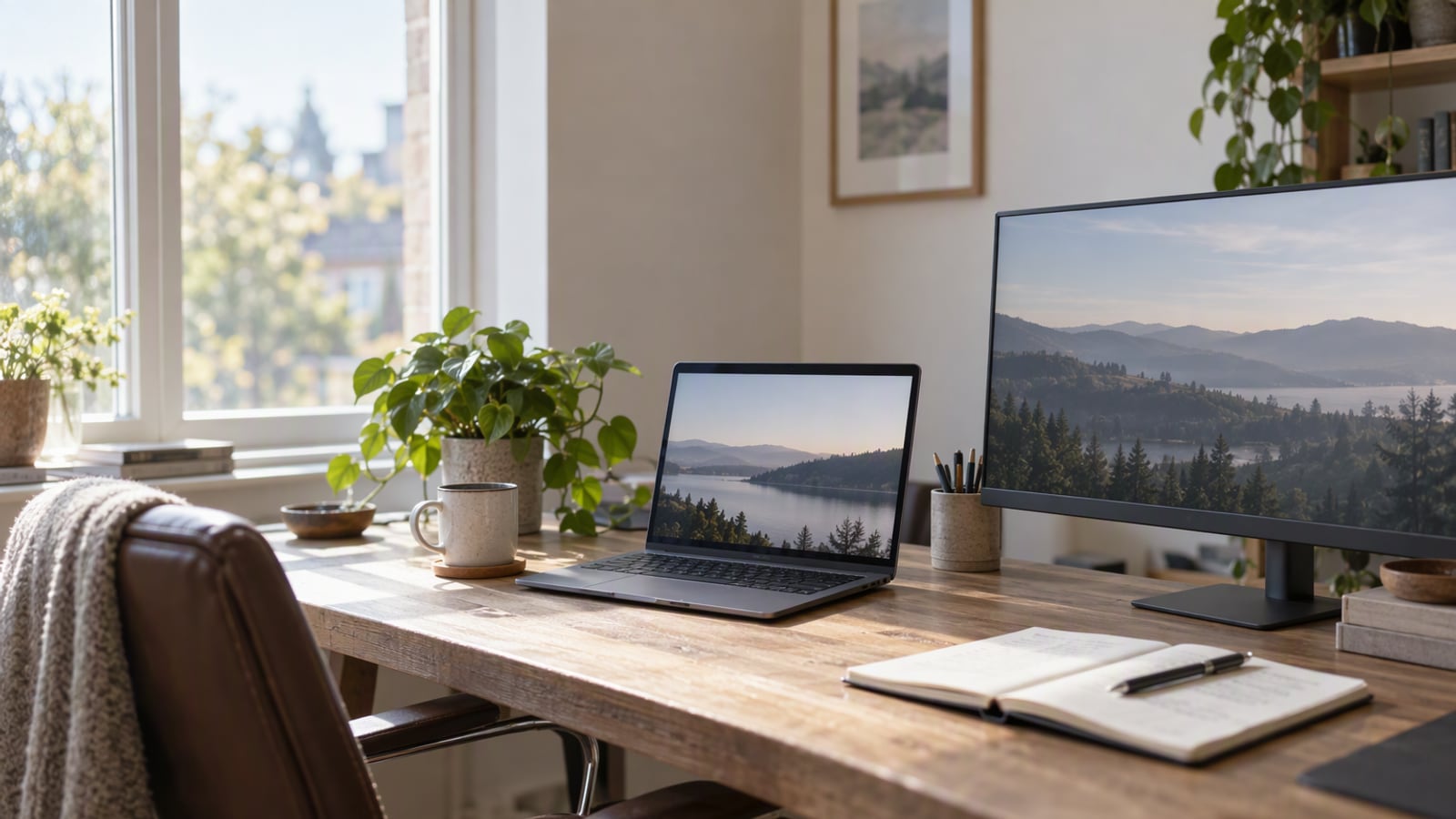
A home office is usually a corner of another room. The desk faces a window because that is where the light is, which means the screen has to cope with glare at nine in the morning. There is a monitor that may or may not be connected, a mug that is definitely too close, and a printer that only wakes up when it feels like it. Nobody is watching you use it, so the machine does not need to look impressive. It needs to disappear.
That is a different brief from a laptop you carry to an office, and it is the reason this guide is organised around the desk rather than around a ranking. The budget ceiling is the one in the title, and it is a real constraint: at that level you are choosing between a better screen, a better keyboard and a better support story, not between fast and slow.
ZeroToUs has not tested any of these machines. Everything below comes from published specifications and the consistent themes in owner reports, and no figure here is a measurement of ours.
How we picked
We worked from manufacturer specifications and owner reports rather than from a test bench. For each candidate we looked at what the machine was clearly designed for — its cooling approach, its screen, its port selection, its keyboard and how serviceable it is — and then asked whether that design suits a desk that never moves.
We also applied the budget ceiling honestly. At this level a laptop can be excellent at one thing and merely adequate at another, so we favoured machines with a clear reason to exist over machines that are inoffensive at everything. Each entry below carries at least one specific downside, because a guide that says everything is good is a guide that has not done the work.
Finally, we excluded anything that only makes sense with a dock and a spare room. A home-office laptop should be usable on the day it arrives, on the desk you already own.
The short list
The MacBook Air 13-inch (M4) is the default for a home office that is also a kitchen table: fanless, silent, and specified to run a full working day on battery. The ASUS Zenbook 14 OLED is the best screen you can get at this tier, and the pick if you run Windows. The Lenovo ThinkPad X1 Carbon is the machine for someone who types all day and wants to still be using it in five years, because parts and batteries remain obtainable long after the warranty ends.
How to choose
Start with the software, not the hardware. This is the decision that overrides all the others. If you depend on a Windows-only application, a corporate image or a peripheral with no macOS driver, you are buying a Windows laptop and the comparison is between the Zenbook and the ThinkPad. Everything else is preference.
Decide whether the laptop ever leaves the house. If it lives on the desk, weight and battery matter far less, and you should spend that headroom on the screen and the keyboard instead. If it commutes with you, the priorities invert and a full-day battery claim becomes the single most important specification on the page.
Count your peripherals before you count your cores. A monitor, a charger, an external drive and a printer is four connections, and a machine with two ports will need a hub to reach them. The MacBook Air’s two Thunderbolt ports fill up fast once a charger and a monitor are involved, which is the most common complaint about an otherwise excellent laptop. Plan the hub into the budget rather than discovering it later.
Buy for the screen you will stare at. In a home office you look at the display for hours, and the difference between a dull panel and a good one is not subtle. The ThinkPad X1 Carbon is a case in point: display options vary a lot and the base panel is dull, so if you buy one, pay attention to which screen you are selecting rather than assuming they are equivalent.
Treat repairability as a feature if you plan to keep the machine. Over five years, a battery you can replace and storage you can upgrade are worth more than a small performance advantage on day one. The ThinkPad X1 Carbon has user-replaceable storage and parts that are obtainable years later, and the MacBook Air has soldered memory you must specify correctly at purchase.
What not to overpay for
A discrete graphics card. Unless your work is video export, 3D or gaming, it buys you nothing and costs battery life and fan noise. Home-office work is documents, browsers and calls.
The top processor tier. The difference between processor tiers is felt in sustained heavy workloads, which is not what a home office does. Spending the difference on memory or a better display will change far more of your day.
Premium materials and thinness for its own sake. A metal chassis feels better and does not work better. At a fixed budget, every pound spent on finish is a pound not spent on the screen or the keyboard.
The largest storage tier, bought up front. This is the one place where being cheap is fine. External storage is inexpensive and a home-office machine sits still, so an external drive is a reasonable answer in a way it is not for a laptop in a bag.
Apple MacBook Air 13-inch (M4): the default when the desk is also a table
The specification is built around quiet: a 13.6-inch display, a fanless design, up to 18 hours of video playback as Apple’s claim, and two Thunderbolt ports. Without a fan there is nothing to spin up, so the machine does not change character when you open a heavier document or join a call, and owner reports describe battery that genuinely lasts a full working day. It is also light enough to forget it is in the bag, which matters if the home office sometimes moves to a cafe.
The downsides are specific. Two Thunderbolt ports fill up quickly once you add a charger and a monitor, so budget for a hub. Memory is soldered, so the configuration you buy is the configuration you keep. And it is a macOS machine, which is either irrelevant or decisive depending on your software. If neither of those matters to you, it is the most complete package at this tier.
ASUS Zenbook 14 OLED: the best screen for the money
The headline is the panel. An OLED display at a tier where most rivals only offer LCD, with punchy contrast that is genuinely better for a dark room, plus a metal chassis and — increasingly rare — a USB-A port alongside Thunderbolt. For a Windows home office, that combination is hard to argue with, and it is also a strong pick for anyone who watches films on the same machine they work on.
Two cons are on the record. Fans spin up under load, unlike the fanless MacBook Air, which is a real annoyance in a quiet room during a long call. And OLED panels can dim over years of static content, which is a genuine consideration for a machine that will display the same taskbar and menu bar for five years. Neither rules it out; both are things to accept knowingly.
Lenovo ThinkPad X1 Carbon: the one you can still repair in five years
If you type for a living, this is the entry to read closely. The specification leads with a business-class keyboard, Windows 11 Pro, user-replaceable storage, and a 14-inch display in a chassis that is light for its class. The reason to choose it over the others is time: parts and batteries remain obtainable years later, which is what turns a five-year machine into a five-year machine rather than a three-year one.
The tradeoffs are equally specific. ThinkPads are frequently discounted, so never pay list price — the sticker is not the price. And display options vary a lot, with the base panel described as dull, so the screen you get depends entirely on which configuration you select. Buy it for the keyboard and the serviceability, not for the panel.
Frequently asked questions
Is a MacBook Air or a Windows laptop better for a home office?
Start with your software rather than your preferences. If everything you use runs in a browser, either platform works and the MacBook Air is the more polished package. If you rely on a Windows-only application, a corporate image or hardware with no macOS driver, the ASUS Zenbook 14 OLED is the sensible answer and no specification on the Mac side changes that.
Do I need a dedicated graphics card for home-office work?
No, unless your work is video export, 3D or gaming. Browser tabs, documents, spreadsheets and video calls are all handled comfortably without one, and a discrete GPU usually costs battery life and adds fan noise. Spending that money on memory or a better screen will do more for your working day.
Should I buy an external monitor or a better laptop?
For a fixed home office, the monitor is usually the better first purchase. A larger screen reduces how much you scroll and how often you switch windows, which changes every hour of your day. A faster processor changes very few of them.
How long should a home-office laptop last?
Plan for five years, which is the honest frame for a machine that sits on a desk and is rarely dropped. That is why repairability matters: the ThinkPad X1 Carbon has user-replaceable storage and parts that remain obtainable years later, which is worth more over five years than a slightly faster processor on day one.
The products in this article
Destinations and specification notes were last checked on 2026-10-06. Prices change constantly, so always confirm on the brand's own page before buying.
Best laptop for most people
MacBook Air 13-inch (M4) Apple
Best for
Verified specifications
- 13.6-inch display
- Fanless design
- Up to 18 hours of video playback
- Two Thunderbolt ports
What works
- Silent under every normal workload because there is no fan
- Battery genuinely lasts a full working day
- Light enough to forget it is in the bag
What does not
- Two ports fill up fast once you add a charger and a monitor
- Memory is soldered, so buy the right amount up front
Best screen for the money
ASUS Zenbook 14 OLED ASUS
Best for
Verified specifications
- 14-inch OLED display
- Windows 11
- Metal chassis
- Thunderbolt and USB-A
What works
- An OLED panel at a price most rivals only offer LCD at
- Keeps a USB-A port, which is rarer every year
- Punchy contrast for dark-room viewing
What does not
- Fans spin up under load, unlike the MacBook Air
- OLED panels can dim over years of static content
Best Windows keyboard for people who type all day
Lenovo ThinkPad X1 Carbon Lenovo
Best for
Verified specifications
- 14-inch display
- Windows 11 Pro
- Business-class keyboard
- User-replaceable storage
What works
- The best keyboard on any thin Windows laptop
- Parts and batteries are obtainable years later
- Light for a 14-inch business machine
What does not
- Frequently discounted, so never pay list price
- Display options vary a lot — the base panel is dull
Sources
More from Laptops & PCs
 Laptops & PCs
MacBook Air 13-inch (M4) review: the laptop most people should buy, and the two cases where they should not
The M4 Air is the right laptop for almost everyone who works in a browser and a document, and the wrong one for exactly two kinds of buyer.
 Laptops & PCs
MacBook Air M4 vs MacBook Pro 14: where the extra money actually goes
The gap between these two laptops is not speed. It is cooling, ports and a display, and whether you need any of them depends entirely on what your week looks like.
 Audio
AirPods Pro 3 vs Sony WF-1000XM5: which earbuds for a genuinely loud commute
Both of these earbuds are excellent, and the choice between them is decided by the phone in your pocket long before you reach the specification table.