Comparisons
MacBook Air M4 vs MacBook Pro 14: where the extra money actually goes
The gap between these two laptops is not speed. It is cooling, ports and a display, and whether you need any of them depends entirely on what your week looks like.
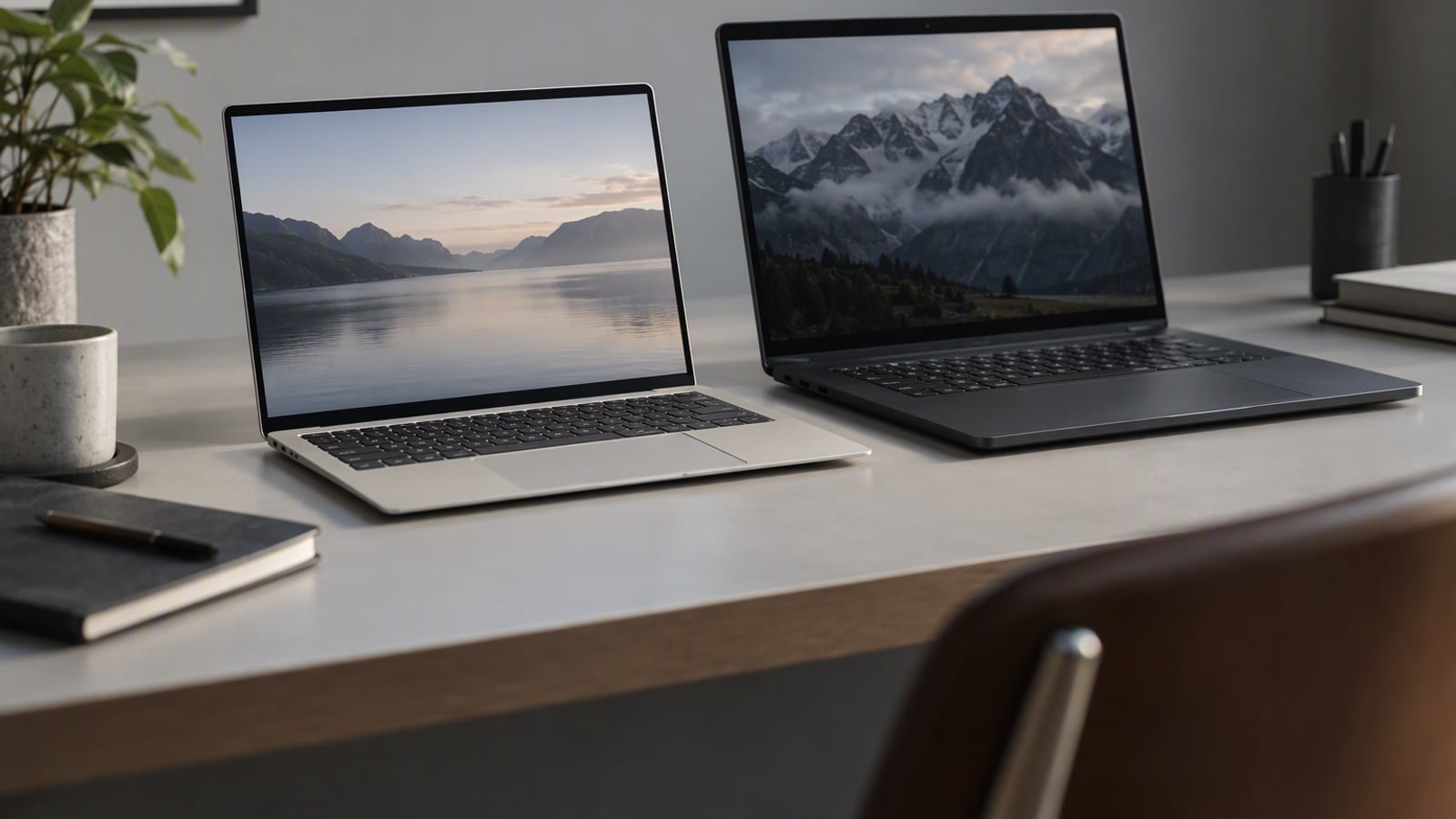
Put the two laptops side by side on a desk and the first thing anyone notices is the thickness. The Air is visibly thinner, noticeably lighter, and silent. The Pro is the heavier machine with the bigger charger, and it costs a large step more. The obvious assumption is that you are paying for speed.
That assumption is mostly wrong, and it is why this comparison is worth writing. The gap between the MacBook Air 13-inch (M4) and the MacBook Pro 14-inch (M4 Pro) is not raw speed for ordinary tasks. It is cooling, ports and a display, and each of those only matters if your week actually exercises it. This comparison uses Apple’s published specifications and the consistent themes in owner reports. We have not handled either machine and we have not benchmarked anything.
The short verdict
Buy the MacBook Air 13-inch (M4) if your work is browsers, documents, spreadsheets, calls and study. It is silent, light, specified for a full working day on battery, and it is the machine most people should own. It also suits a kitchen table or a shared office, where a fan would be the loudest thing in the room.
Buy the MacBook Pro 14-inch (M4 Pro) if you export video, retouch photographs for colour, or run software builds. Its active cooling is what keeps sustained performance from dropping off, its mini-LED display is accurate enough for colour work, and its ports mean you can leave the dongle at home.
If you cannot name a task in your week that runs for minutes rather than seconds, the Air is the answer and the Pro is money spent on headroom you will not use.
Feature comparison
| MacBook Air 13-inch (M4) | MacBook Pro 14-inch (M4 Pro) | |
|---|---|---|
| Display | 13.6-inch | 14.2-inch mini-LED, accurate enough for colour work |
| Cooling | Fanless | Active cooling |
| Ports | Two Thunderbolt | Three Thunderbolt plus HDMI and SD |
| Battery claim | Up to 18 hours of video playback (Apple’s claim) | Up to 22 hours of video playback (Apple’s claim) |
| Best for | Students, office and browser work, replacing a five-year-old laptop | Video editing, photo retouching, software builds |
| Standout strength | Silent under every normal workload, full working day on battery, light enough to forget | Sustained performance that does not drop off the way the Air does on long exports |
| Main tradeoff | Two ports fill up fast; memory is soldered and must be chosen at purchase | Costs a large step more, and both the laptop and its charger are heavier |
Where each one wins
The Air wins on silence, weight and the price you pay
The fanless design is the defining feature, and it delivers three things at once. It is silent under every normal workload, because there is nothing to spin up. It is thin and light enough to forget it is in the bag. And it is specified to last a full working day on battery, which is the claim that decides whether the charger stays at home.
The Air also wins on cost, and not by a small margin. For a browser-and-document workload you are not buying a slower experience; you are buying the same experience in a quieter, lighter machine.
Its weaknesses are on the record. Two Thunderbolt ports fill up fast once a charger and a monitor are involved, and memory is soldered, so the configuration you buy is the configuration you keep for the life of the machine.
The Pro wins on sustained work, ports and colour
The Pro’s advantages all follow from one thing: it has active cooling. Because it can move heat away continuously, its sustained performance does not drop off the way the Air does on long exports. That is the specification that separates the two machines, and it is invisible in a short test and decisive in a long one.
The display is the second win. A 14.2-inch mini-LED panel described as accurate enough for colour work is a different proposition from a general-purpose laptop screen, and if you retouch photographs or grade video, that is the feature you are buying.
The third win is the port set: three Thunderbolt ports plus HDMI and an SD reader. Apple’s own framing is that the ports mean you can leave the dongle at home, which is a direct acknowledgement of where the Air gives ground. And the battery claim is higher too, at up to 22 hours of video playback.
The costs are equally plain. The Pro costs a large step more, and both the laptop and its charger are heavier, which matters if the machine travels.
The tradeoff nobody mentions
The interesting difference is not that one is faster. It is that one is consistent and the other is variable.
A fanless laptop can be quick in bursts and cannot promise anything beyond that, because there is no mechanism for removing heat under a sustained load. That is not a fault; it is the design decision that buys the silence and the thinness. But it means the Air’s performance depends on what you ask of it, and the Pro’s does not. If you have ever had a laptop that felt fine for ten minutes and sluggish for the next forty, you have met this tradeoff already.
The second hidden cost is that every advantage the Pro has is conditional. Its extra cooling only matters during long exports. Its colour-accurate display only matters if colour is the job. Its ports only matter if you plug things in. That is a lot of money resting on conditions, and it is why “buy the Pro to be safe” is usually the wrong instinct.
Because both machines run the same operating system and the same applications, this is not an ecosystem decision like choosing between phone platforms. It is purely a question of workload, ports and money.
Which should you buy
Buy the Air if you are a student, if your work lives in a browser and a document, if you are replacing a five-year-old laptop, or if you work from a kitchen table or a shared office where silence matters. Choose the memory carefully at checkout, because soldered memory cannot be changed later, and budget for a small hub if you connect a monitor.
Buy the Pro if you export video or run long compiles, if you retouch photographs and need colour accuracy, if you want to leave the dongle at home, or if you travel with a camera and want an SD reader built in. If more than one of those applies, the extra cost is buying capability you will use weekly rather than occasionally.
Buy neither yet if the only reason you are considering the Pro is the fear of needing it one day. That fear is expensive, and the Air will tell you clearly when it has reached its limit.
Frequently asked questions
Is the MacBook Pro 14 faster for everyday work?
For browsing, documents, spreadsheets and video calls, the two machines feel broadly the same, because the difference between them is sustained performance rather than peak responsiveness. The Pro pulls ahead when a heavy task runs for minutes rather than seconds.
Do I need the extra ports on the Pro?
Only if you actually plug things in. Three Thunderbolt ports plus HDMI and an SD reader mean you can leave a dongle at home. If your week is a charger and the occasional monitor, the Air plus a small hub covers it for less money.
Why does the Air slow down on long exports?
It has no active cooling. The fanless design is why the Air is silent and thin, and it is also why it cannot promise the same sustained performance as a machine with a fan. That is a design tradeoff rather than a defect.
Which one should a student buy?
The MacBook Air, unless the course involves sustained video work or software builds. It is light, silent, specified for a full working day on battery, and the cheaper of the two. Buy the memory correctly at purchase, because it cannot be upgraded afterwards.
The products in this article
Destinations and specification notes were last checked on 2026-10-06. Prices change constantly, so always confirm on the brand's own page before buying.
Best laptop for most people
MacBook Air 13-inch (M4) Apple
Best for
Verified specifications
- 13.6-inch display
- Fanless design
- Up to 18 hours of video playback
- Two Thunderbolt ports
What works
- Silent under every normal workload because there is no fan
- Battery genuinely lasts a full working day
- Light enough to forget it is in the bag
What does not
- Two ports fill up fast once you add a charger and a monitor
- Memory is soldered, so buy the right amount up front
Best if you export video or run long compiles
MacBook Pro 14-inch (M4 Pro) Apple
Best for
Verified specifications
- 14.2-inch mini-LED display
- Active cooling
- Three Thunderbolt ports plus HDMI and SD
- Up to 22 hours of video playback
What works
- Sustained performance does not drop off the way the Air does on long exports
- The display is accurate enough for colour work
- Ports mean you can leave the dongle at home
What does not
- Costs a large step more than the Air
- Heavier, and the charger is bigger too
Sources
More from Laptops & PCs
 Laptops & PCs
The best laptop for a home office under $1,200
A home office asks for different things than an office office: silence, a screen you can look at all day, and a machine you can repair rather than replace.
 Laptops & PCs
MacBook Air 13-inch (M4) review: the laptop most people should buy, and the two cases where they should not
The M4 Air is the right laptop for almost everyone who works in a browser and a document, and the wrong one for exactly two kinds of buyer.
 Audio
AirPods Pro 3 vs Sony WF-1000XM5: which earbuds for a genuinely loud commute
Both of these earbuds are excellent, and the choice between them is decided by the phone in your pocket long before you reach the specification table.