Buying Guides
The best budget gaming handheld: what $400-600 actually gets you
In the $400-600 band you are not choosing the fastest handheld. You are choosing which compromise you can live with.
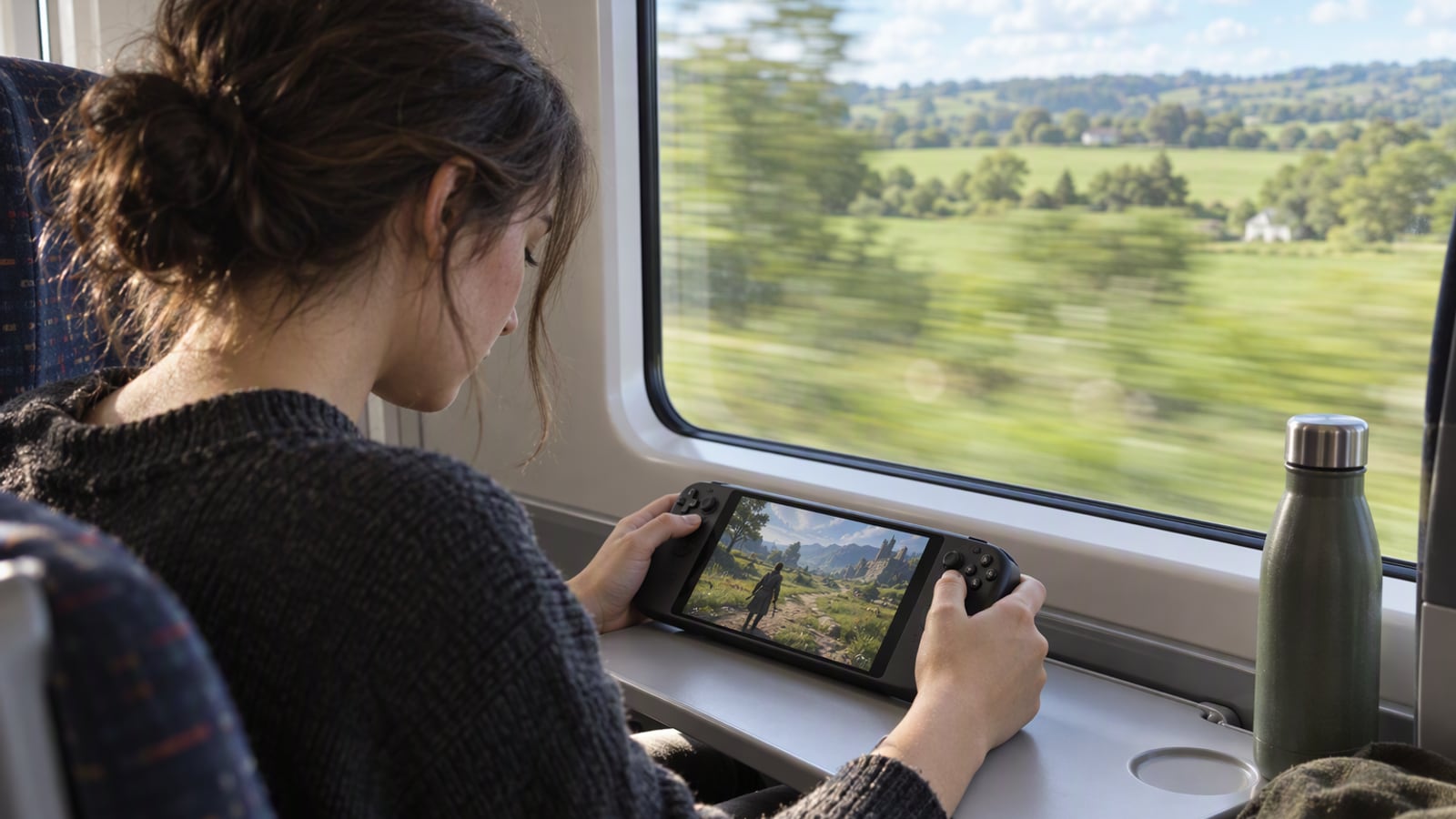
Picture a train at 7am, a tray table that is barely wide enough, and two hours of journey with nothing to do. That is where the handheld market actually lives: a bag, a journey, and a device that has to justify the space it takes up.
The $400-600 band is where most people should be shopping, and it is also where the marketing is least helpful. Every handheld here claims to run modern games. All of them do, in some form, with settings lowered, and the differences between them are not really about speed. They are about which library you can play, how the machine behaves when you put it down, and which compromise you are willing to accept.
This guide is written from published specifications, manufacturer documentation and the patterns that recur in owner reports. ZeroToUs has not benchmarked any of these devices and has not handled a unit of any of them. Where a manufacturer makes a claim, we attribute it as a claim.
How we picked
We did not test these handhelds. We have not measured frame rates, timed battery life, or held any of them in our hands. What we can do honestly is narrow the field using criteria a specification sheet and a body of owner reports can actually support.
The first is which games you can play without spending again. If a machine plays the games you already own, the cost of entry is the hardware alone. If it asks you to rebuild a library, the real cost is higher than the sticker price.
The second is what happens when you stop playing. Sleep and resume decide whether a handheld suits a five-minute gap on a commute or only a dedicated session at home. It matters more than peak performance for most buyers, and it is the least discussed specification in the category.
The third is the physical reality of the thing. Weight, screen size and battery endurance decide whether a handheld gets carried or left behind. A device too heavy or too short-lived to take on the journey it was bought for is not a bargain at any price.
The fourth is whether the machine does something no other machine here can. The Switch 2 is the only place to play Nintendo’s own games and the only one with easy local multiplayer. That is not a performance argument, but it is decisive for a household with children.
Where a device has an obvious weakness, we say so. A guide that recommends everything equally is not a guide.
The short list
- Steam Deck OLED — the pick for anyone with an existing Steam library, and the best sleep-and-resume experience here.
- ASUS ROG Ally X — the pick for Game Pass subscribers and Windows-only games, including anti-cheat multiplayer.
- Nintendo Switch 2 — the pick for families, couch multiplayer and Nintendo exclusives, with a dock that turns it into a television console.
- Lenovo Legion Go — the pick for the largest screen and tabletop play, if you can live with the weight.
How to choose
Start with your library, not the specification sheet. If you own games on Steam, the Steam Deck OLED lets you play them with no further purchase. If your library lives in Game Pass or consists of anti-cheat multiplayer titles, that points at a Windows handheld. If it lives on Nintendo, only the Switch 2 will do.
Weigh the machine in your hands before you weigh the frame rate. A larger screen is genuinely nicer, and it also adds weight and reduces battery life. The Legion Go’s 8.8-inch display is the biggest in this group and the heaviest to hold for a long session.
Match the device to the room it will live in. If the handheld is for a shared flat with one television, a machine that docks in one motion, like the Switch 2, changes how the household uses that television. If it is for one person on a commute, the dock matters far less than battery and weight.
What not to overpay for
The first thing not to overpay for is raw performance in a handheld. Every machine in this band runs modern games with settings lowered, and the difference between them is smaller in practice than the specification sheets suggest. Chasing a faster chip while accepting a short battery or a heavy body is a bad trade for a portable device.
The second is a screen size you will not use. A bigger display is the most visible upgrade you can buy, and it is worth the money only if you genuinely play for long stretches. For a twenty-minute commute, a larger panel mostly adds weight to your bag.
The third is the assumption that spending more solves the fundamental limits. No handheld in this class plays the newest, heaviest games at full detail for hours on battery, and no upgrade changes that.
Steam Deck OLED: best for an existing Steam library
The Steam Deck OLED is the machine to shortlist if you already own games on Steam, and the reason is not performance. Valve specifies a 7.4-inch OLED display, a refresh rate of up to 90Hz, SteamOS with a desktop mode and a claimed battery life of up to 12 hours on light games. The part that matters is the library: because the Deck runs SteamOS and can drop into desktop mode, your existing Steam purchases work with no repurchasing at all.
Its strengths are behavioural as much as technical. Sleep and resume works like a console, so you can stop mid-level and pick up later without a loading screen, which is what makes it suitable for a commute rather than only for a sofa. The OLED panel is a genuine improvement for dark games, and desktop mode makes it the most flexible machine here.
The tradeoffs are real. The Deck is large and heavy next to a phone-style handheld, and the biggest games still need their settings lowered. Owners consistently report that the first hour with a demanding title goes into finding a balance between look and battery.
Buy it if you own games on Steam and want to play them away from a desk. Skip it if you do not own a Steam library, or if you mainly play anti-cheat multiplayer, where a Windows handheld is the safer choice.
ASUS ROG Ally X: best if you play Game Pass
The ROG Ally X is the pick for anyone whose library does not live on Steam. ASUS specifies a 7-inch 120Hz display, Windows 11, an 80Wh battery and two USB-C ports. Running Windows is the whole point: it plays anything Windows plays, including the anti-cheat multiplayer games SteamOS cannot handle, and it fits Game Pass without a workaround. The larger battery addresses the loudest complaint about the original Ally, and the second USB-C port is more useful than it sounds.
The compromises sit on the software and the controls. Windows on a small screen still needs patience, and there are no trackpads, so mouse-driven games are awkward without plugging in a mouse. The Ally X rewards a certain tolerance for fiddling, just in a different way from the Deck.
Buy it if you subscribe to Game Pass, play Windows-only or anti-cheat titles, or want more battery than the original Ally offered. Skip it if you want a console-like experience with no operating-system overhead.
Nintendo Switch 2: best for families and local multiplayer
The Switch 2 is on this list because it does something none of the others can: it is the only place to play Nintendo’s own games, and the only machine here built around local multiplayer without a second console. Nintendo specifies a 7.9-inch LCD display, a dock with 4K output, detachable controllers and backwards compatibility with most Switch games.
The dock is the other half of the argument. It turns the handheld into a television console in one motion, which is a different proposition from the PC handhelds in a shared flat. Detachable controllers mean two people can play without buying anything else, and that is worth more in a household with children than any frame-rate figure.
Its weaknesses are performance and pricing behaviour. Third-party performance trails the PC handhelds, so the most demanding multiplatform releases are not where this machine shines, and its games rarely discount as quickly as on Steam.
Buy it if you want Nintendo games, couch multiplayer, or a handheld that doubles as a family television console. Skip it if your interest is in the heaviest third-party releases, or if you want a library that goes on sale often.
Lenovo Legion Go: best if you want the biggest screen
The Legion Go is for the buyer who wants the largest display and does not mind paying for it in weight. Lenovo specifies an 8.8-inch display, detachable controllers, Windows 11 and a built-in kickstand, and that screen is the biggest of any mainstream handheld.
The detachable controllers and kickstand are what make it more than a big screen. Set the machine on a tray table, detach the sides, and tabletop play becomes practical; with a mouse, that combination suits strategy games away from a PC. Windows 11 means the same broad library as the Ally X.
The cost is physical. The Legion Go is heavy and bulky to hold for long sessions, and its battery life is the worst in this group. For short sessions at a table it is a compelling machine; for an hour held up in bed it is the least comfortable option here.
Buy it if you want the largest screen, play strategy games with a mouse, or mostly play at a table. Skip it if you play in bed or on a commute, or if battery life is a priority.
Frequently asked questions
What is the best budget gaming handheld for most people? If you already own games on Steam, the Steam Deck OLED is the one to shortlist, because your existing library is the whole point and you pay nothing extra to play it. If you play Game Pass or anti-cheat multiplayer, the ASUS ROG Ally X is the more sensible buy. If you want Nintendo games or couch multiplayer, the Switch 2 is the only answer.
Do I need to spend more than the $400-600 band? Not necessarily, but the band buys a specific set of compromises. Spending more tends to buy a bigger battery, a larger screen or a faster chip rather than a different experience. Decide which compromise you can live with before you decide your budget.
Are budget handhelds good enough for the newest games? They run them, but with settings lowered, and the newest and heaviest titles are also the ones that drain the battery fastest. If your plan is to play the latest showcase releases at full detail, a handheld in this band will disappoint you regardless of which one you choose.
Which handheld is best for a commute? The one with the best sleep and resume behaviour and a library you already own, which points at the Steam Deck OLED. The Switch 2 is a strong second because it wakes instantly, but its third-party performance trails the PC handhelds on demanding games.
The products in this article
Destinations and specification notes were last checked on 2026-10-06. Prices change constantly, so always confirm on the brand's own page before buying.
Best handheld for a PC game library
Steam Deck OLED Valve
Best for
Verified specifications
- 7.4-inch OLED display
- Up to 90Hz refresh
- SteamOS with desktop mode
- Up to 12 hours on light games
What works
- Your existing Steam library works with no repurchasing
- The OLED panel is a real upgrade for dark games
- Sleep and resume works like a console
What does not
- Large and heavy next to a phone-style handheld
- The biggest games still need settings lowered
Best handheld if you play Game Pass
ASUS ROG Ally X ASUS
Best for
Verified specifications
- 7-inch 120Hz display
- Windows 11
- 80Wh battery
- Two USB-C ports
What works
- Runs anything Windows runs, including anti-cheat multiplayer games
- The bigger battery fixes the original Ally’s main flaw
- Two USB-C ports is genuinely handy
What does not
- Windows on a small screen still needs patience
- No trackpads, so mouse-driven games are awkward
Best handheld for families and local multiplayer
Nintendo Switch 2 Nintendo
Best for
Verified specifications
- 7.9-inch LCD display
- Dock with 4K output
- Detachable controllers
- Backwards compatible with most Switch games
What works
- The only place to play Nintendo’s own games
- Docks to a TV in one motion
- Local multiplayer without a second console
What does not
- Third-party performance trails the PC handhelds
- Games rarely discount as fast as on Steam
Best for buyers who want a bigger screen
Lenovo Legion Go Lenovo
Best for
Verified specifications
- 8.8-inch display
- Detachable controllers
- Windows 11
- Built-in kickstand
What works
- The largest screen of any mainstream handheld
- Detachable controllers make tabletop play practical
- Kickstand plus a mouse works for strategy games
What does not
- Heavy and bulky to hold for long sessions
- Battery life is the worst in this group
Sources
More from Gaming
 Gaming
Steam Deck OLED review: the handheld that made me stop opening my gaming laptop
The Steam Deck OLED is not the most powerful handheld you can buy, and for anyone with an existing Steam library it is still the one to buy.
 Audio
AirPods Pro 3 vs Sony WF-1000XM5: which earbuds for a genuinely loud commute
Both of these earbuds are excellent, and the choice between them is decided by the phone in your pocket long before you reach the specification table.
 Wearables
Apple Watch Series 11 vs Garmin Venu 3: smartwatch or sports watch
These two watches are not rivals so much as different answers to the same question: do you want a phone on your wrist, or a coach that lasts a fortnight?